Give your next big thing a home.
Projects with a clear goal, checkpoints, milestones,
and visual progress metrics you can actually celebrate.
Your projects, plans, and bright ideas. Beautifully together.
A thoughtful personal workspace for everything you want to make happen.
For the things you’re building.
And the person you’re becoming.
Not another noisy tab to keep track of. One considered home
for your ambitions, day-to-day focus, and the sparks that follow.
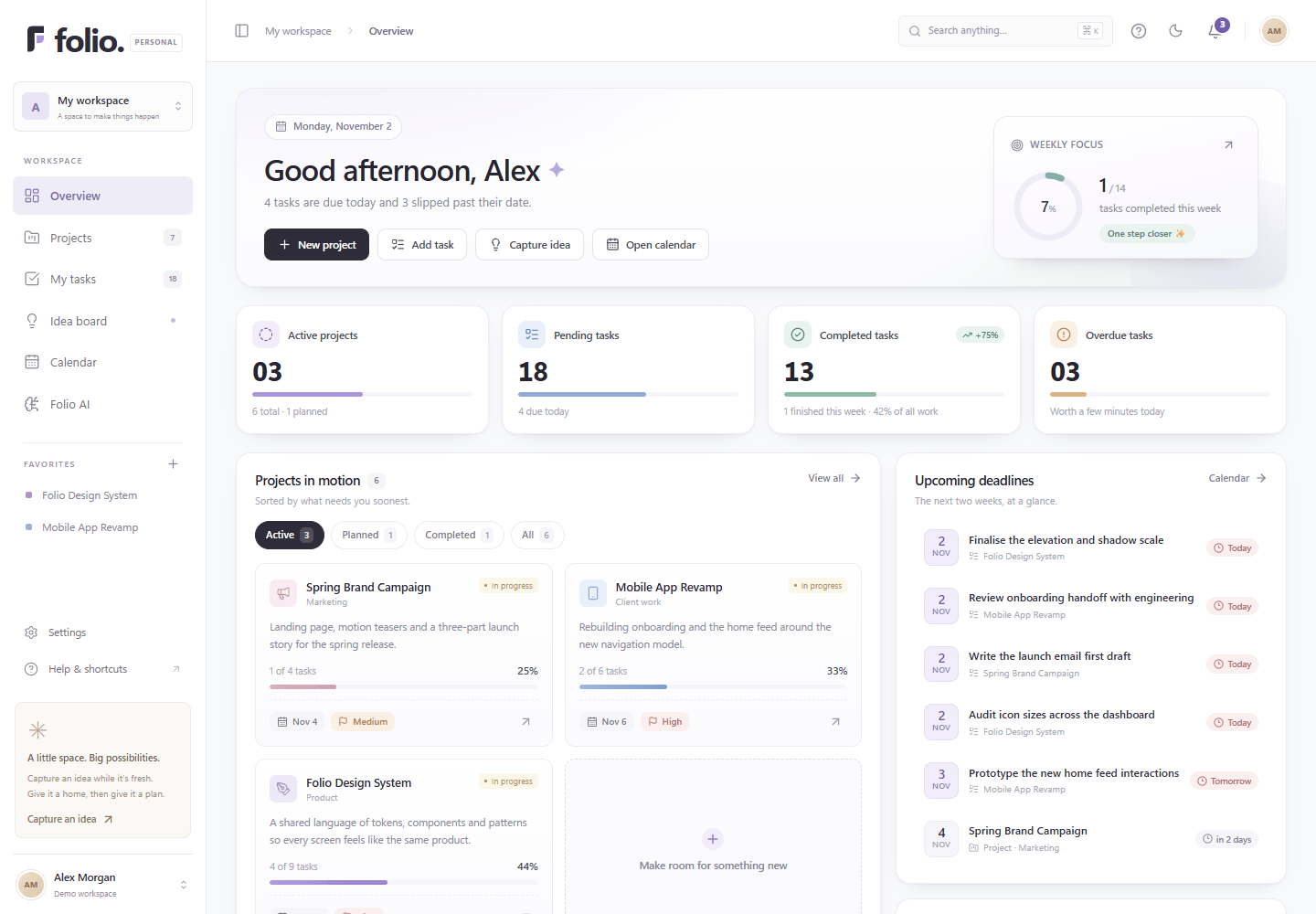
The big picture and your next small step. Welcome concierge, weekly focus ring, and priority queue.Real application captures from PostgreSQL. Never a static mockup.
A little structure makes a lot of room.
Bring your work into focus, without
making organization feel like another full-time job.
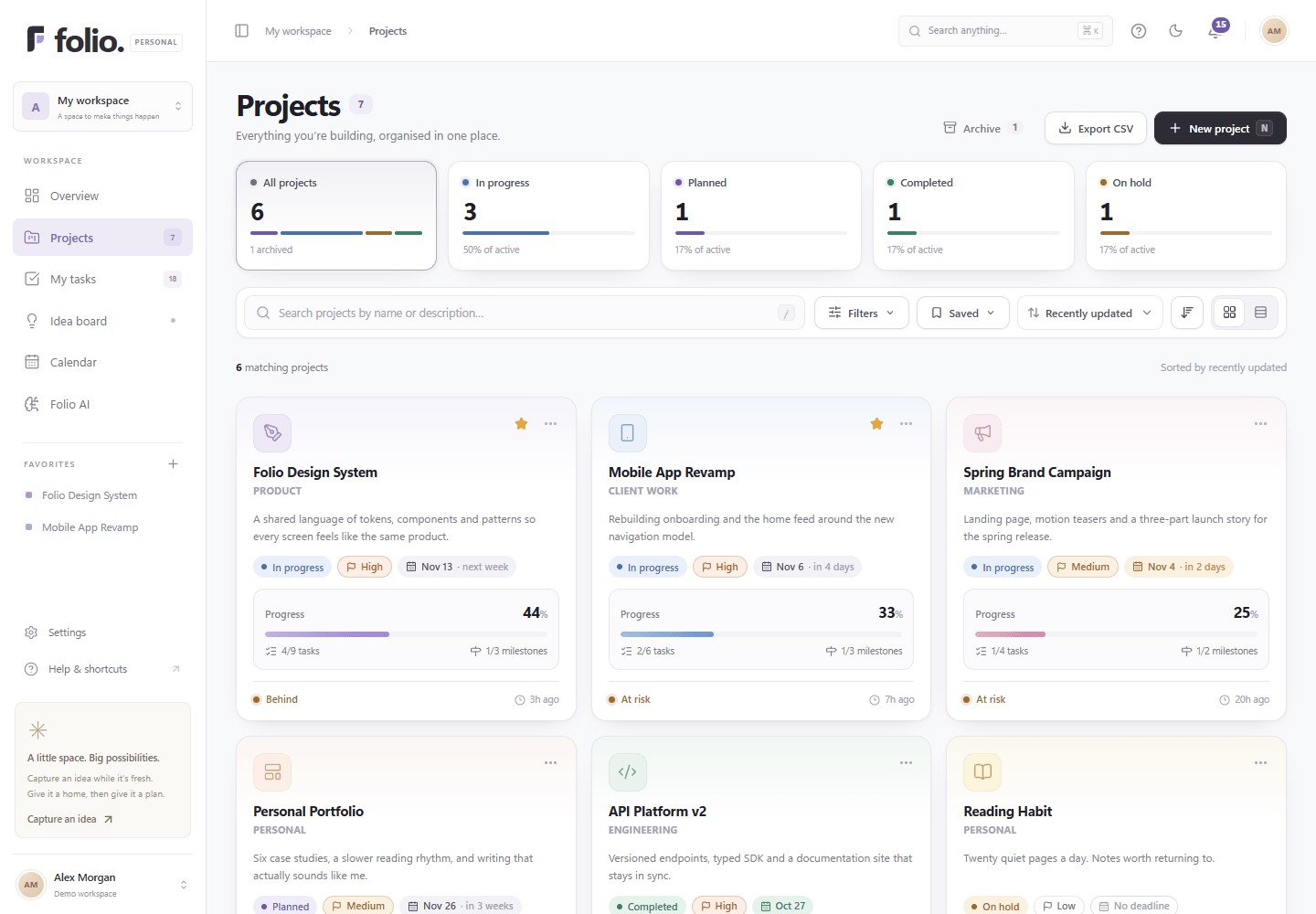
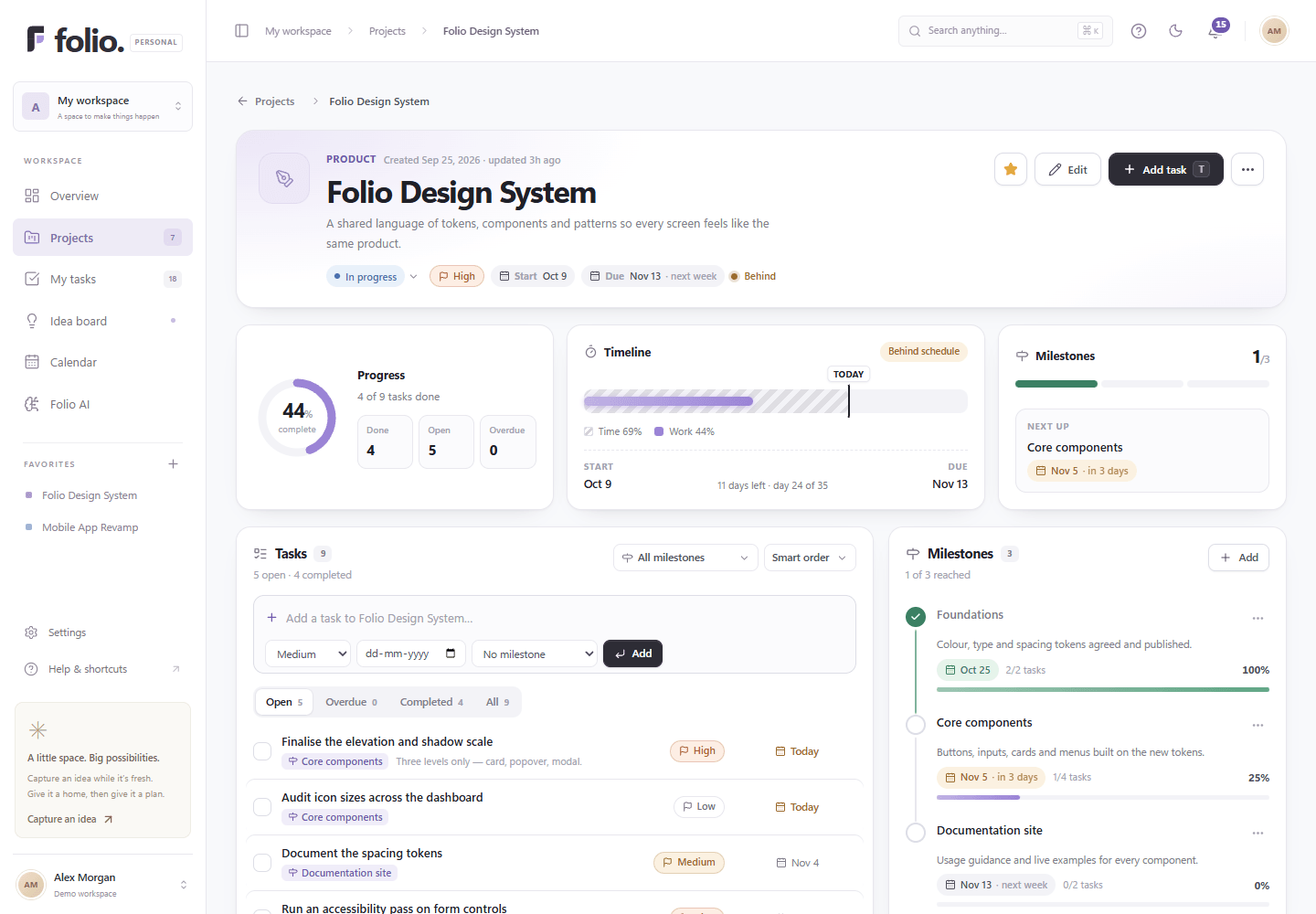
Projects with a clear goal, checkpoints, milestones,
and visual progress metrics you can actually celebrate.
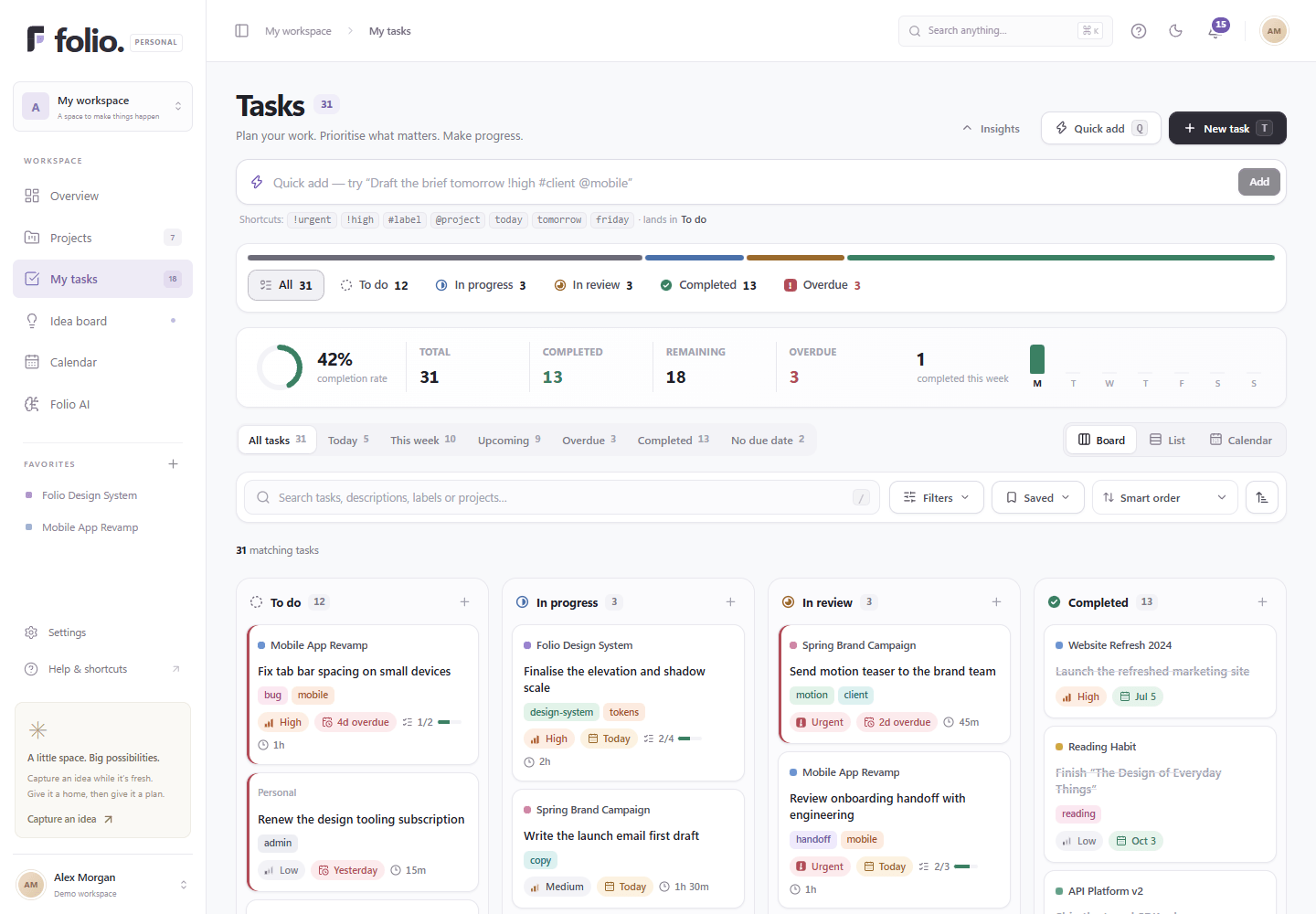
Board, list, or calendar. Prioritize your tasks
with custom tags, estimates, and checkable subtasks.
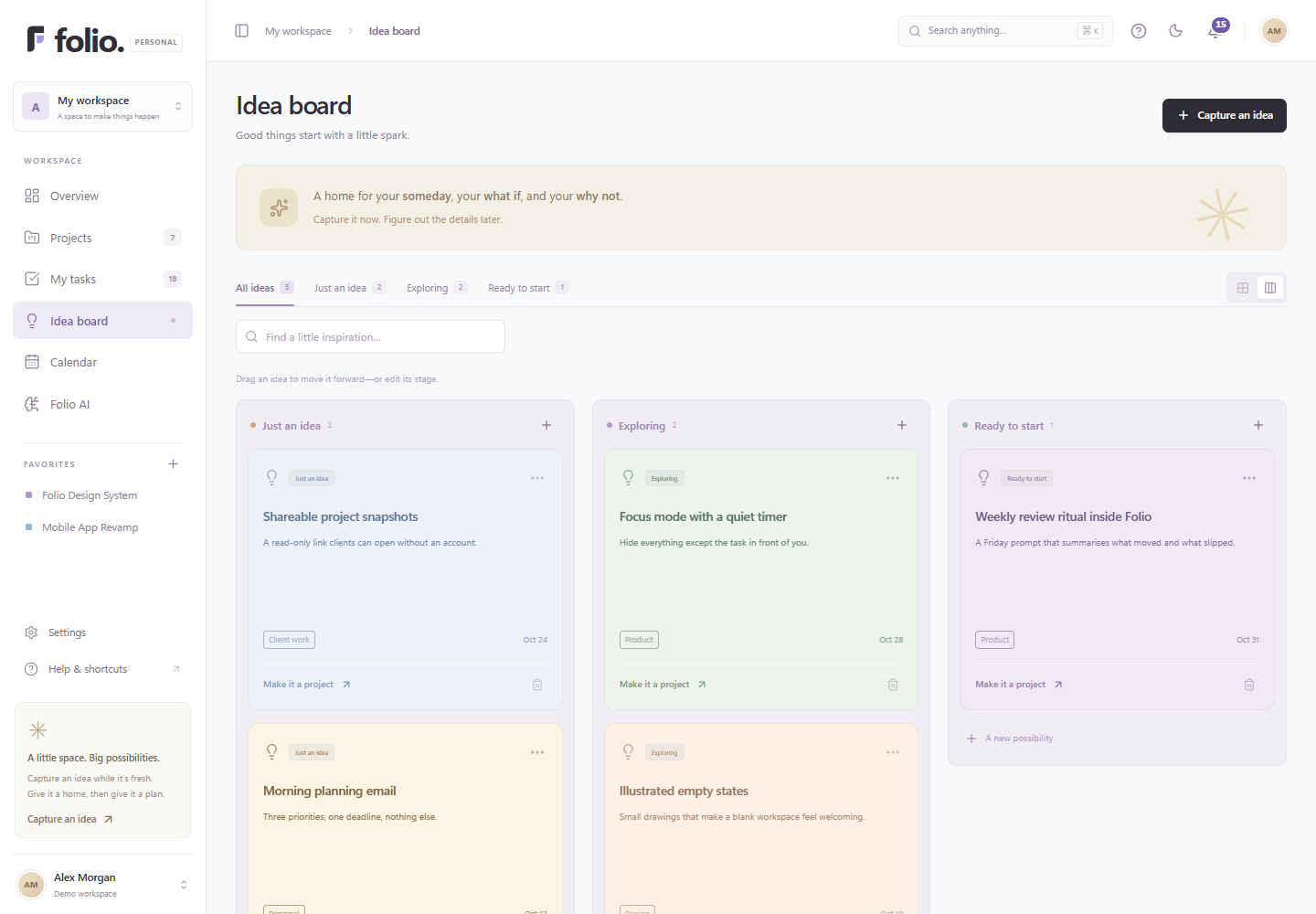
Catch a spark before it slips away. Organize your ideas into stages, and turn the right one into a full project with one click.
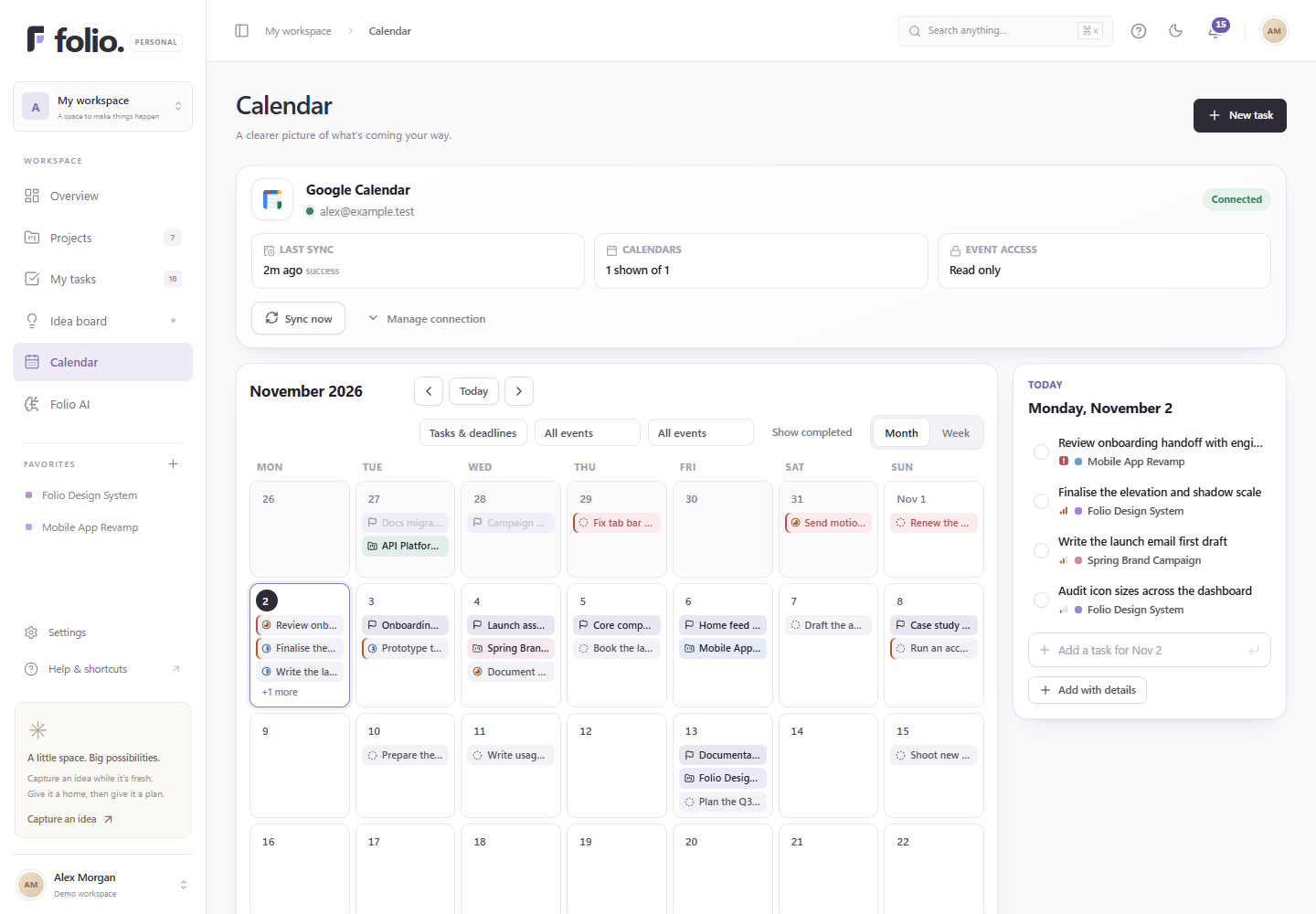
Bring selected Google calendars beside your tasks. See what’s coming up, keep deadlines in sight, and make breathing room.
Search your entire workspace in a keystroke (⌘K). Save custom filters and navigate with single-letter shortcuts.
Explore how each surface works together to keep your thoughts organized and your schedule calm.
Split larger projects into meaningful milestones. Assign custom color tokens, categories (Personal, Product, Engineering, Client work), and track real completion percentages based on finished tasks.
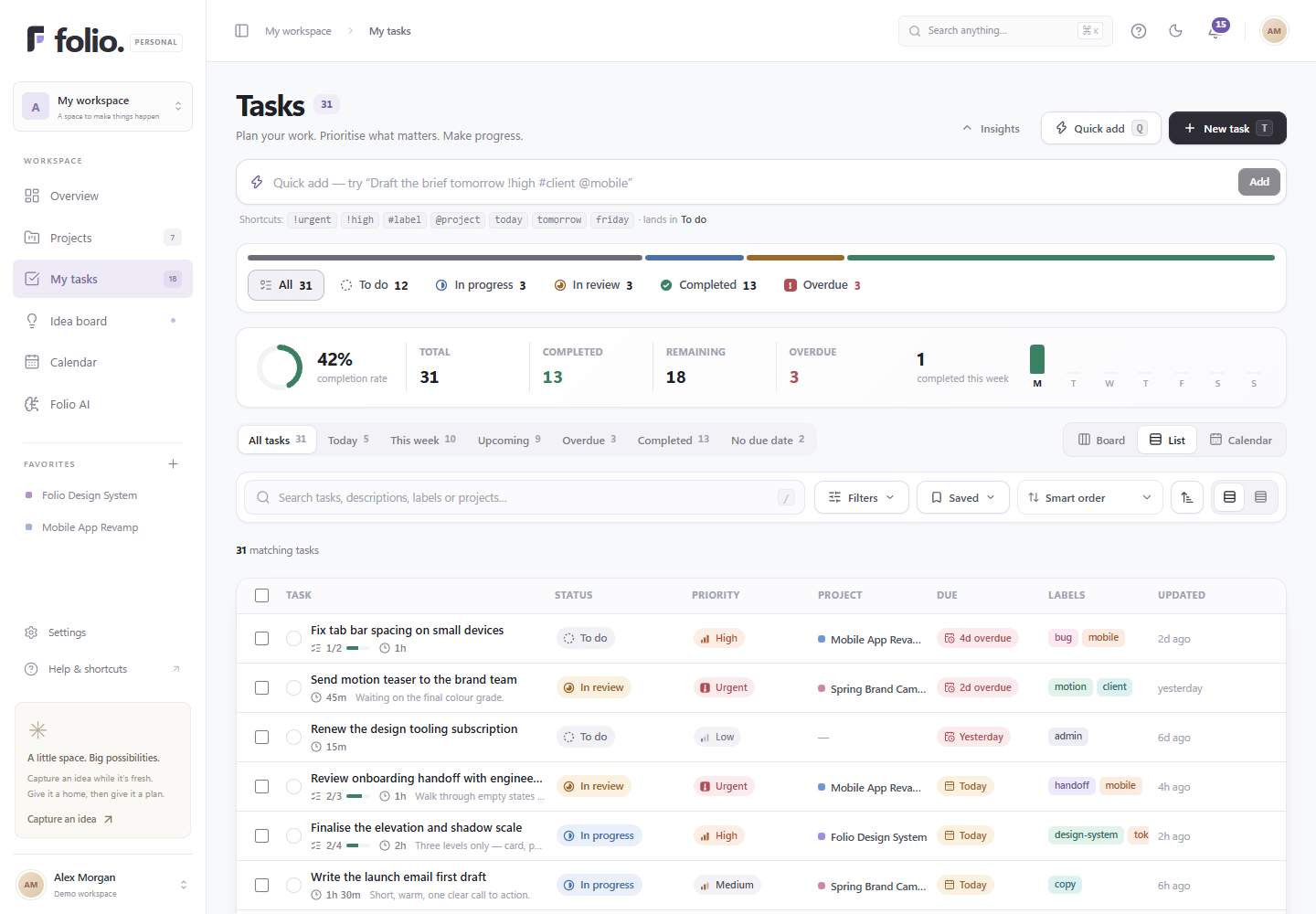
Switch fluidly between a visual Kanban board, a high-density sorted list, and an agenda calendar. Set priorities from Urgent to Low, add checklists, tag with custom labels, and set quiet reminder times.
Connect Google Calendar with zero friction. View external meetings right next to your Folio task deadlines and milestone checkpoints. Tokens are sealed with AES-256-GCM encryption at rest.
Great things start with a spark. Park thoughts under “Just an idea”, “Exploring”, or “Ready to start”. When an idea is ripe, one click converts it into an active project with all your notes intact.
Meet Folio AI. A personalized, local-first assistant that runs directly on your device using WebGPU and WebLLM.
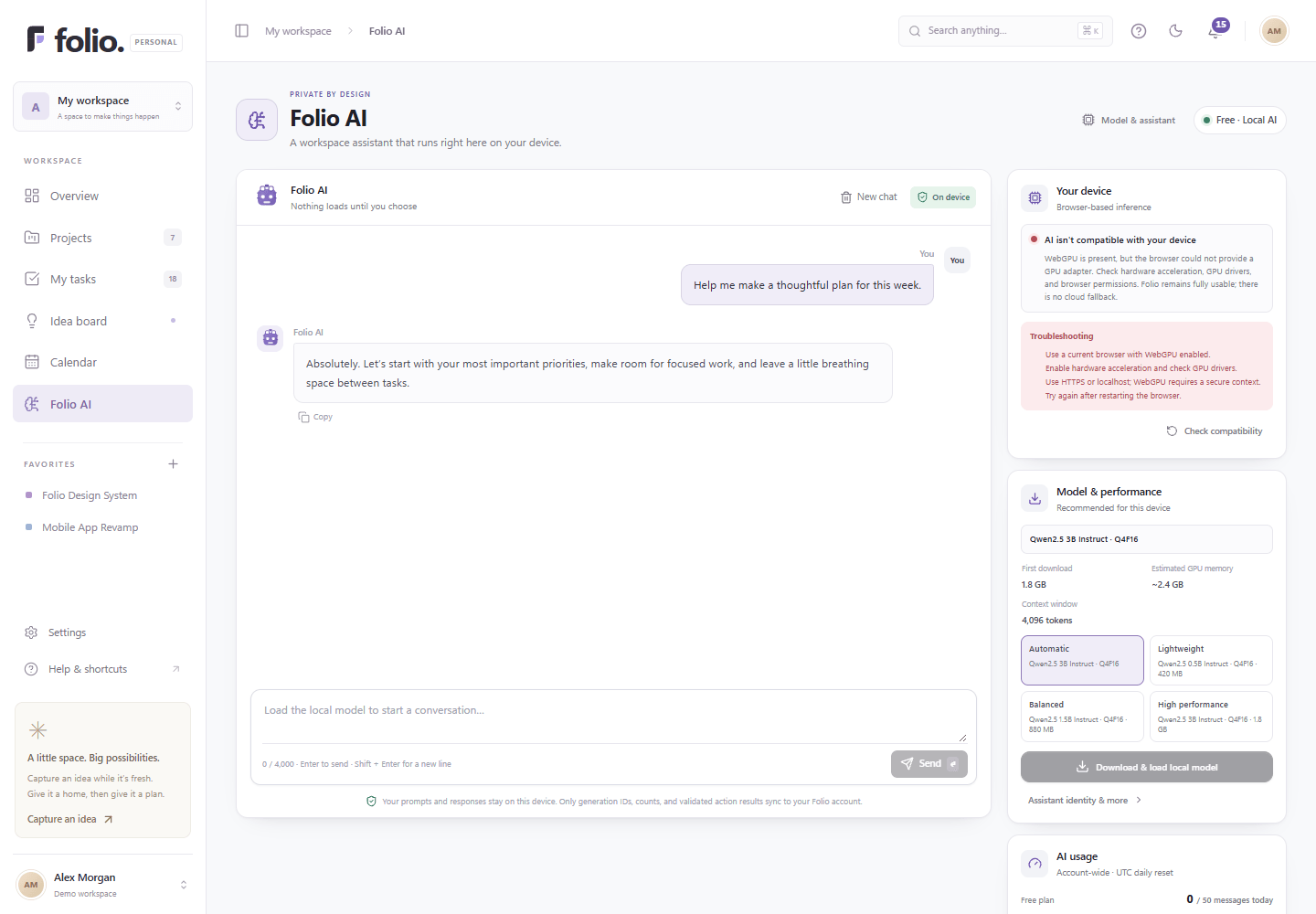
Your private thoughts belong strictly on your device.
Notifications should feel helpful, never overwhelming. Fine-tune reminders and respect your rest.
Clean notification center with grouped time buckets (Today, Yesterday, Earlier) and direct shortcuts to tasks, milestones, or calendar events.
Set your personal rest hours. Folio holds reminders during quiet hours and queues delivery for when your morning begins.
Control which alerts you receive: task deadlines, approaching milestones, project updates, calendar sync, or account security notices.
Account-scoped PostgreSQL storage. Secure, HTTP-only sessions with scrypt password hashing.
Zero third-party trackers. Complete, verified account deletion on demand with zero orphaned records.
Create your account in seconds. Customize your name, timezone, theme, and rhythm—or jump in immediately with smart defaults.
Start with one project. Add the next small task. Keep early sparks on your Idea Board and connect Google Calendar if helpful.
Watch small wins add up in task insights. Review on-device AI plans when you want perspective, and keep your workspace calm.
Folio’s source code is published on GitHub. Read the queries, review the security decisions, and follow the work in the open.
Browse the complete source code, review commit history, contribute improvements, or report issues on GitHub.
Clear, honest engineering documentation for local development, schema migrations, and production operations.
Complete project walkthrough, directory layout, commands, and local quickstart.
Read guideBase schema initialisation, ordered Drizzle migrations, and schema verification.
Read guideSelf-managed auth architecture, scrypt hashing, OAuth callbacks, and data lifecycle.
Read guidePlaywright automated pipeline capturing real application screens in isolated test DB.
Read guideEverything you might want to know about how Folio works under the hood.
Folio is a personal workspace for your projects, tasks, schedule, and ideas. Built with Next.js 16, PostgreSQL, Drizzle ORM, and local WebGPU AI, it brings big-picture calm and small-step momentum together into one distraction-free place.
Folio has no subscriptions, paywalls, or premium tiers in this version. The local AI preview includes an account-wide allowance of 50 completed messages per day running directly on your device.
Folio AI runs 100% locally inside your browser using WebLLM and WebGPU. Your conversation prompts, drafts, and responses never leave your machine and are never sent to external AI servers. In addition, when AI prepares workspace actions (like creating tasks or organizing a project), it produces a transparent plan that you review and confirm before anything changes.
You can connect Google Calendar from Settings. Folio requests read-only calendar access first so you can view external events alongside your tasks. Creating and updating calendar events is an optional, separate write permission. Tokens are encrypted at rest with AES-256-GCM and can be revoked at any time.
Absolutely. Under Settings → Account → Danger Zone → Delete account, you can permanently erase your entire account. Deletion executes atomically across all 25 PostgreSQL tables (projects, tasks, milestones, subtasks, ideas, calendar mirrors, AI conversations, and sessions), revokes external Google tokens, and invalidates your active session immediately.
Yes. At any time in Settings → Account, you can download a complete, readable JSON export of your projects, milestones, tasks, subtasks, ideas, and activity logs. Your data belongs entirely to you.
Folio can be deployed to any Node.js environment or platform like Netlify or Vercel connected to a PostgreSQL database (such as Neon PostgreSQL). The repository is publicly hosted on GitHub at https://github.com/PratikPrasad1813/Folio.
Yes. The public landing page, sign-in, onboarding, and workspace shells adapt responsively to mobile and tablet screens. Local AI inference depends on your device's browser WebGPU support, but the core workspace (projects, tasks, calendar, ideas) works everywhere.
A clearer head. A calmer day. A workspace that’s truly yours.